¶ TOOCAA NOVA & LightBurn Connection Tutorial
¶ Adding Device Profile
1. Download the Profile
Download the /toocaa_nova.lbdev and save it to your desktop.
2. Import the Profile into LightBurn
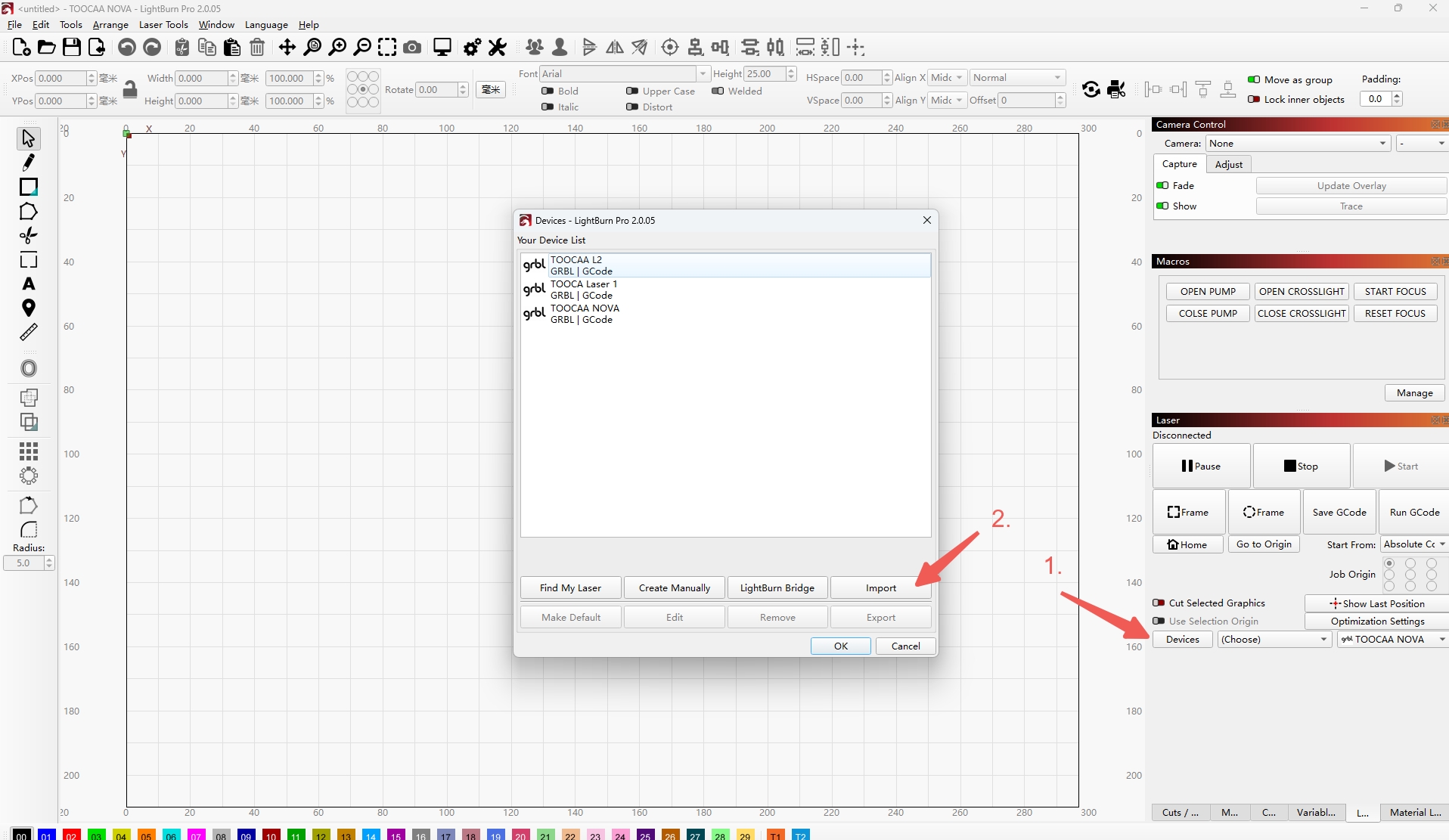
Open LightBurn, go to the "Device" menu on the right sidebar, click "Import", and select the TOOCAA NOVA profile file saved on your desktop.
3. Confirm Addition
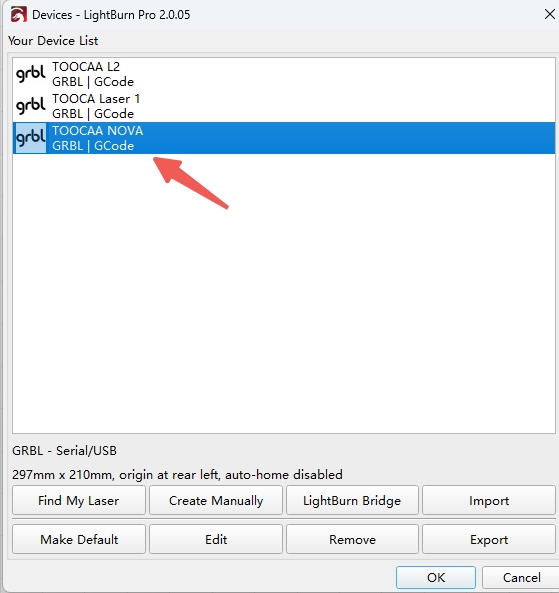
After import, the profile will appear in the device list. Select it and click "OK".
4. Completion & Notes
Once successfully added, the profile name will appear on the left sidebar. If any error occurs during import, you can also drag and drop the profile file directly into LightBurn.
¶ Using Device Functions
1. Connect the Device
After adding the profile, connect the TOOCAA NOVA via USB and add the corresponding COM port in the "Select" interface.
2. Using Macros
Select "Macros" from the menu to access the function panel. You can operate the air pump, auto-focus, and crosshair alignment features from here.