¶ Laser Module Cooling Fan Cleaning Guide
This page explains how to clean the Laser Module Cooling Fan on TOOCAA NOVA. Extend the laser head through the software, switch off and disconnect power for cleaning, then restart the machine to retract the laser head automatically.
¶ Before Maintenance
- Prepare a clean, small, soft-bristled brush, alcohol and a soft, lint-free cotton cloth. Lightly dampen the cloth with alcohol; it should not drip.
- Connect TOOCAA Studio to the machine and stop any active job.
Follow this order: Extend the laser head while the machine is powered on. Once movement has stopped, switch off the machine and disconnect power. Brush away dust, turn the blades and wipe surfaces only with power disconnected and the laser module cool. Use the alcohol-dampened cloth only on the exterior surfaces shown. Do not spray alcohol into the fan; keep it off the top cover and electrical components. Let all alcohol evaporate and the cleaned areas dry before restarting.
¶ Procedure
¶ 1. Select “Extend for Cleaning”
- Clear any materials or tools from beneath the laser head to prevent a collision during extension.
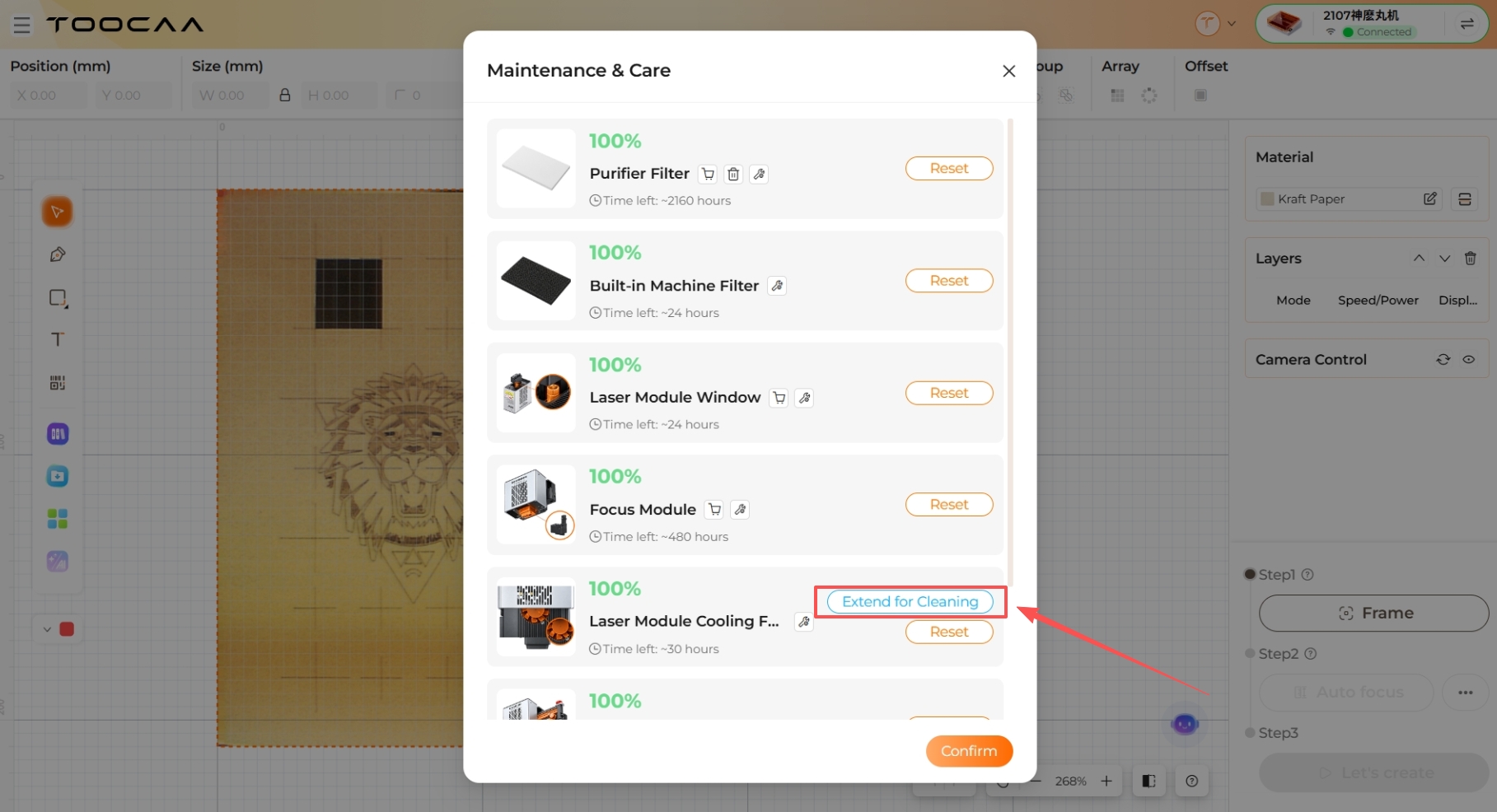
- In the maintenance panel in TOOCAA Studio, find “Laser Module Cooling Fan” and select “Extend for Cleaning”. Follow the on-screen confirmation prompts.
- Wait until the laser head has extended and stopped completely. Keep hands and tools clear during movement.
¶ 2. Switch Off and Disconnect Power
- After the laser head has extended and stopped, switch off the machine and disconnect power.
- Allow the laser module to cool, open the top cover and confirm that the fan has stopped before cleaning.
¶ 3. Brush Dust from the Fan in Sections
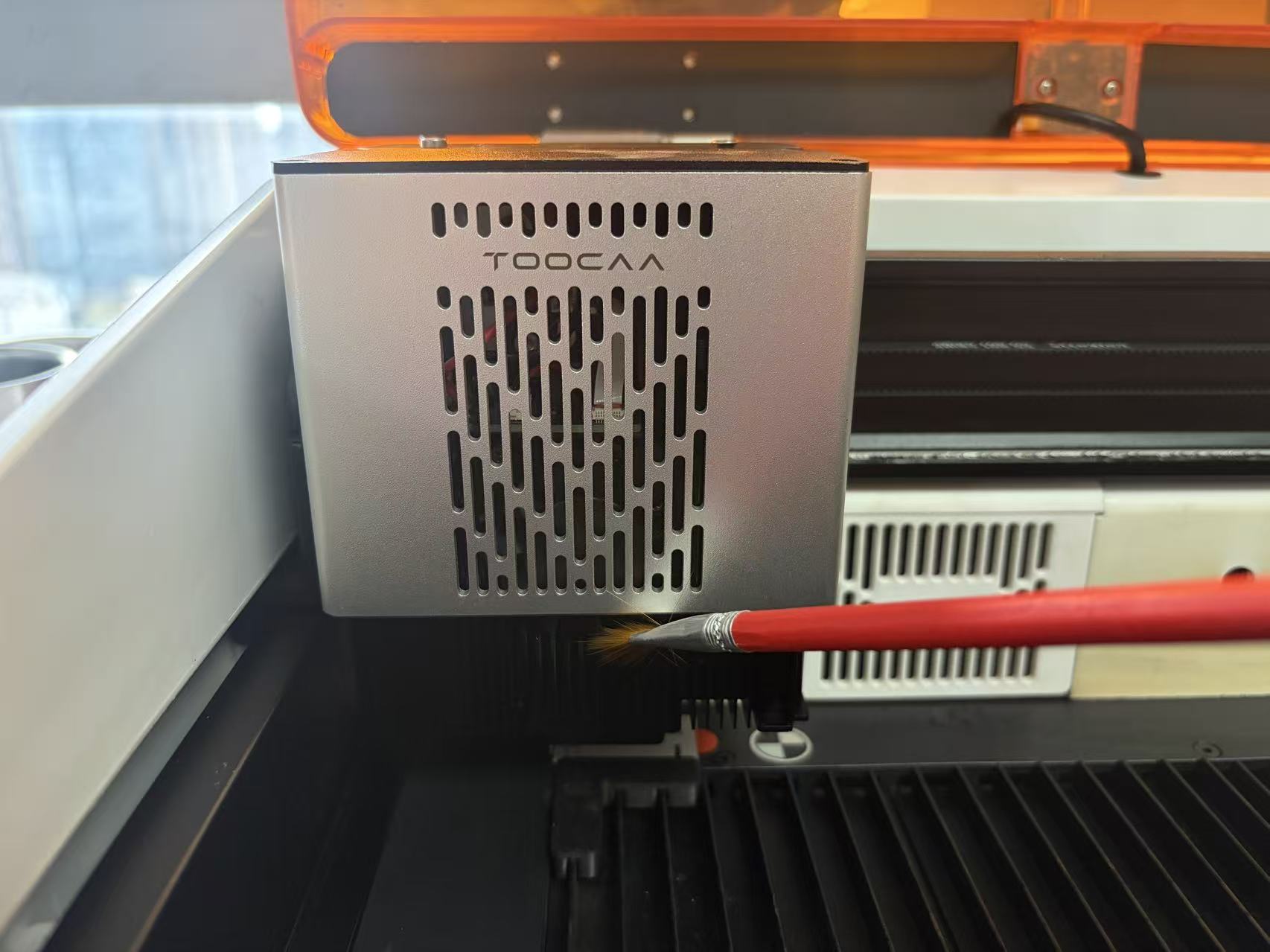
- Using a dry, small, soft-bristled brush, gently remove dust from the accessible area shown in Figure 2.
- Only about 30% of the fan is exposed after extension. With power disconnected, gently turn the accessible blades a small amount, let them stop, then brush the newly exposed area. Repeat to clean the remaining sections.
- Do not bend the blades or insert the brush handle into the fan. If the blades are stuck, do not force them.
¶ 4. Wipe the Exterior with an Alcohol-Dampened Cloth
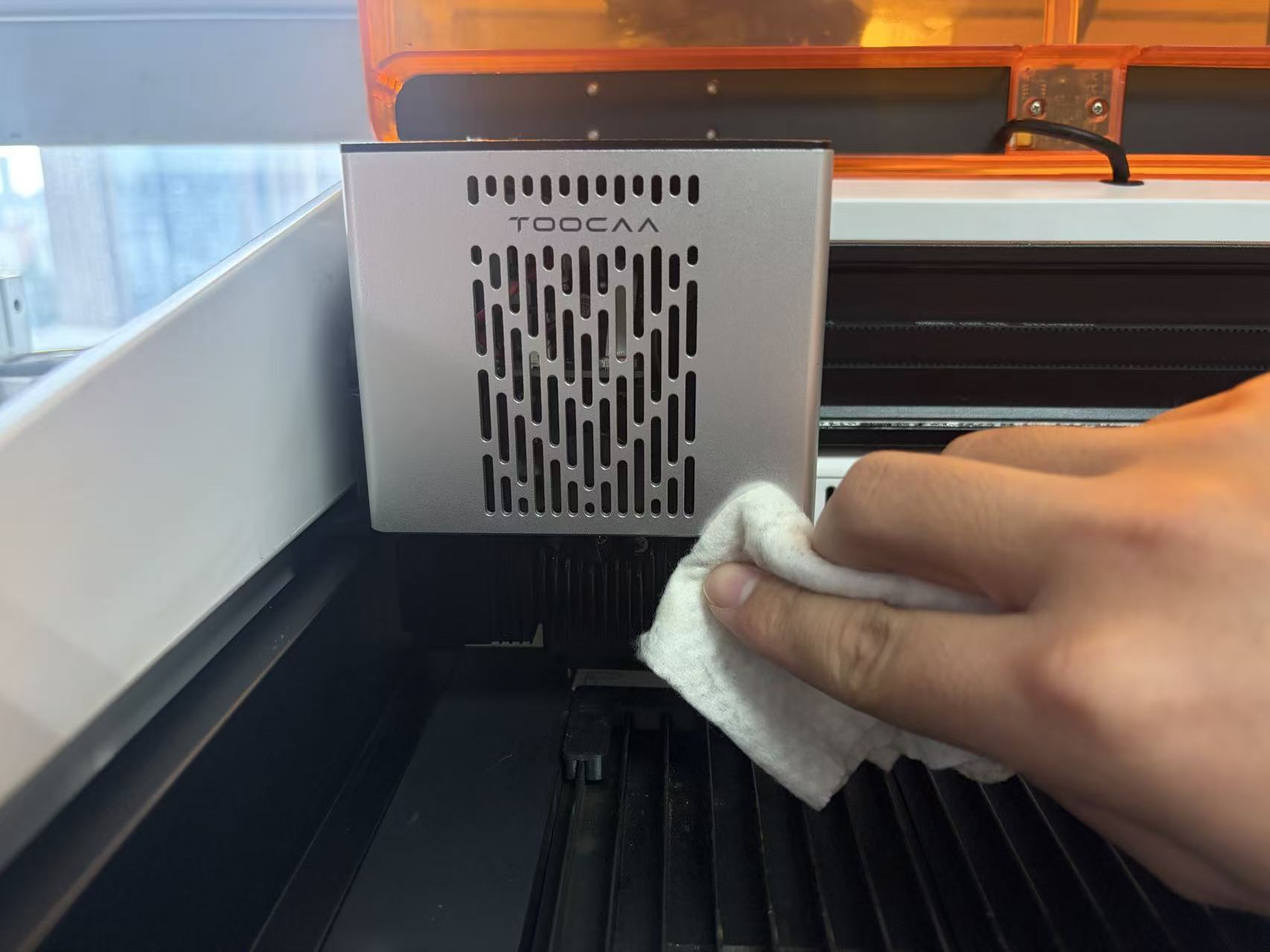
- Using a lint-free cotton cloth lightly dampened with alcohol, gently wipe the accessible exterior surfaces shown in Figure 3 to remove remaining dust and stains.
- Keep liquid out of the fan, motor and electrical connectors. Let the alcohol evaporate completely and the cleaned areas dry before continuing.
¶ 5. Restart and Wait for Automatic Retraction
- Check that the cleaned areas are dry. Remove the cloth, brush and loose dust, then close the top cover.
- Reconnect power and switch on the machine. The laser head will retract automatically. Keep hands and tools out of the machine while it moves.
- Wait for retraction to finish. Confirm that there are no error messages or unusual noises to complete the cleaning.
¶ Inspection and Troubleshooting
If the blades are damaged or stuck, or if abnormal fan operation, unusual noise or cooling problems remain after cleaning, stop processing and contact TOOCAA support. If the laser head does not retract automatically after restarting, stop and do not push it back manually.
¶ After Maintenance
- Check that the accessible fan areas and exterior surfaces are free of visible dust buildup, lint and loose brush bristles.
- Check that all alcohol has evaporated, no liquid remains and all cleaning tools have been removed.
- Confirm that the laser head has retracted automatically and there are no error messages or unusual noises.
After completing the cleaning, you may reset the “Laser Module Cooling Fan” maintenance timer on the maintenance page.
Back to TOOCAA NOVA Maintenance Guide · Back to TOOCAA NOVA User Guide