¶ Slide Rod Maintenance Guide
This page explains how to clean and lubricate the upper and lower slide rods on TOOCAA NOVA. Remove dust, tar and old grease, then apply a thin layer of grease to keep the laser module moving smoothly from side to side.
¶ Before Maintenance
- Clean, soft, lint-free cotton cloths and alcohol for cleaning the slide rods. Dampen the cloth lightly; it should not drip.
- Lubricating grease suitable for the slide rods, and a clean, soft cloth for removing excess grease.
Note: Keep the machine switched off and disconnected from power throughout this procedure. Allow the laser module to cool before starting. Apply alcohol to the cloth; do not spray it into the machine or let it contact the top cover, optical surfaces or electrical components. Let the alcohol evaporate completely before applying grease. Grease only the upper and lower slide rods shown in the photos, keeping it off the belt, pulleys and Laser Lens.
¶ Procedure
¶ 1. Switch Off and Disconnect Power
- Stop the job, switch off the machine and disconnect power. Allow the laser module to cool, then open the top cover.
- Leave the laser module on the left to expose the slide rods on the right. If repositioning is needed, hold the module body and slide it slowly. Do not pull the belt or cables.
¶ 2. Clean the Upper and Lower Slide Rods on the Right
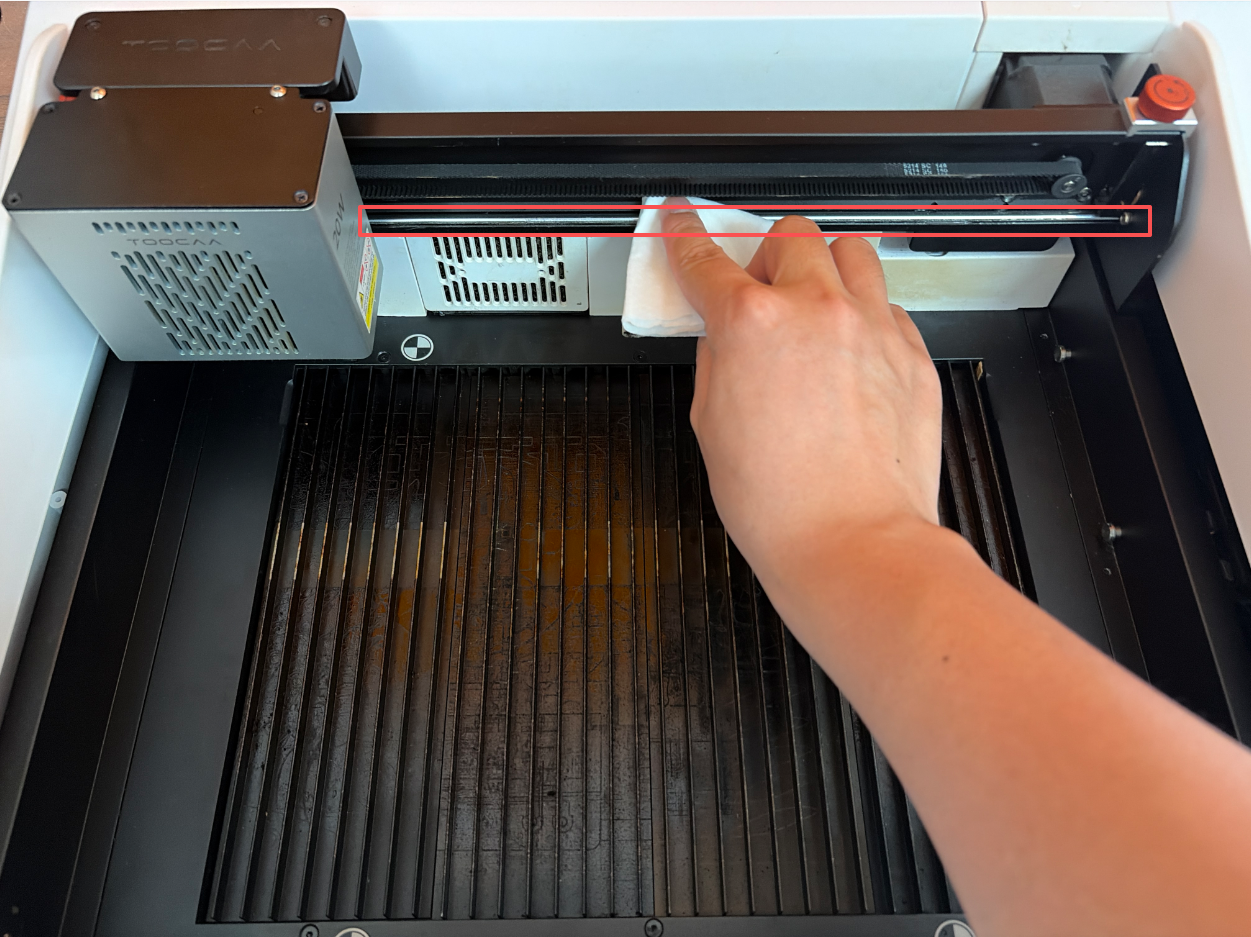
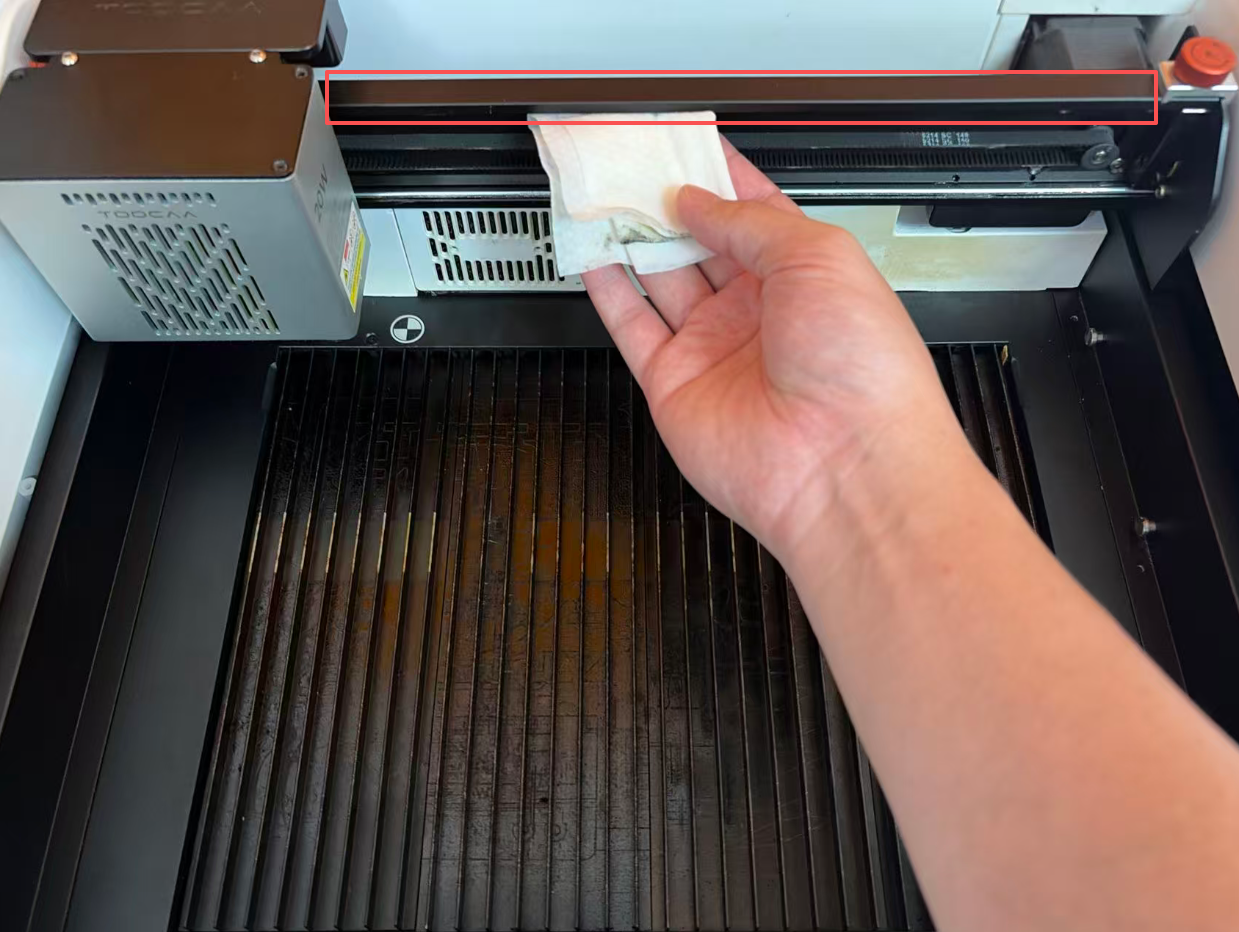
- Using a lint-free cloth lightly dampened with alcohol, wipe the lower and upper slide rods on the right, as outlined in Figures 1 and 2. Remove dust, tar and old grease.
- Use a clean section of the cloth as needed to avoid spreading dirt back onto the rods.
¶ 3. Move the Laser Module and Clean the Slide Rods on the Left
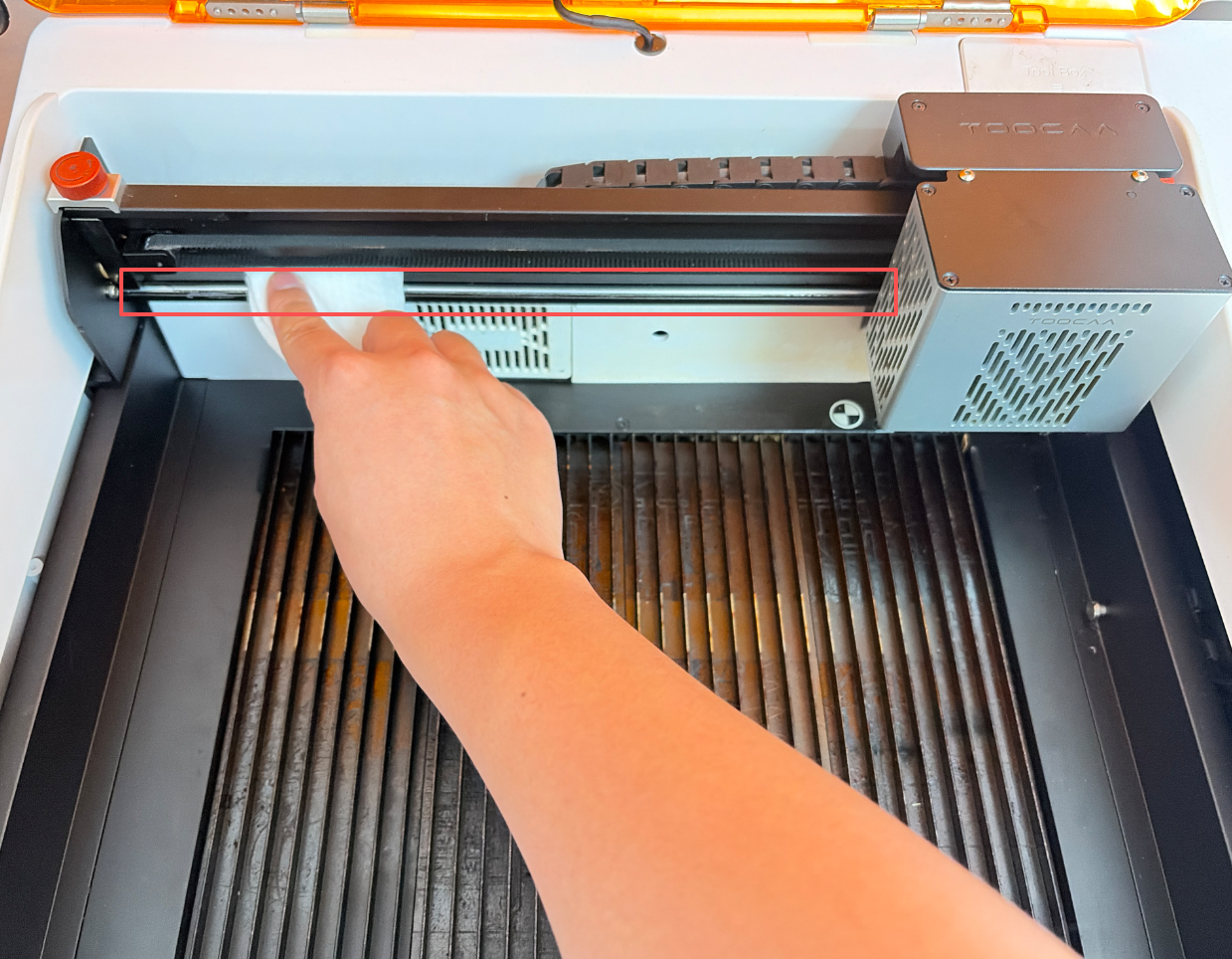
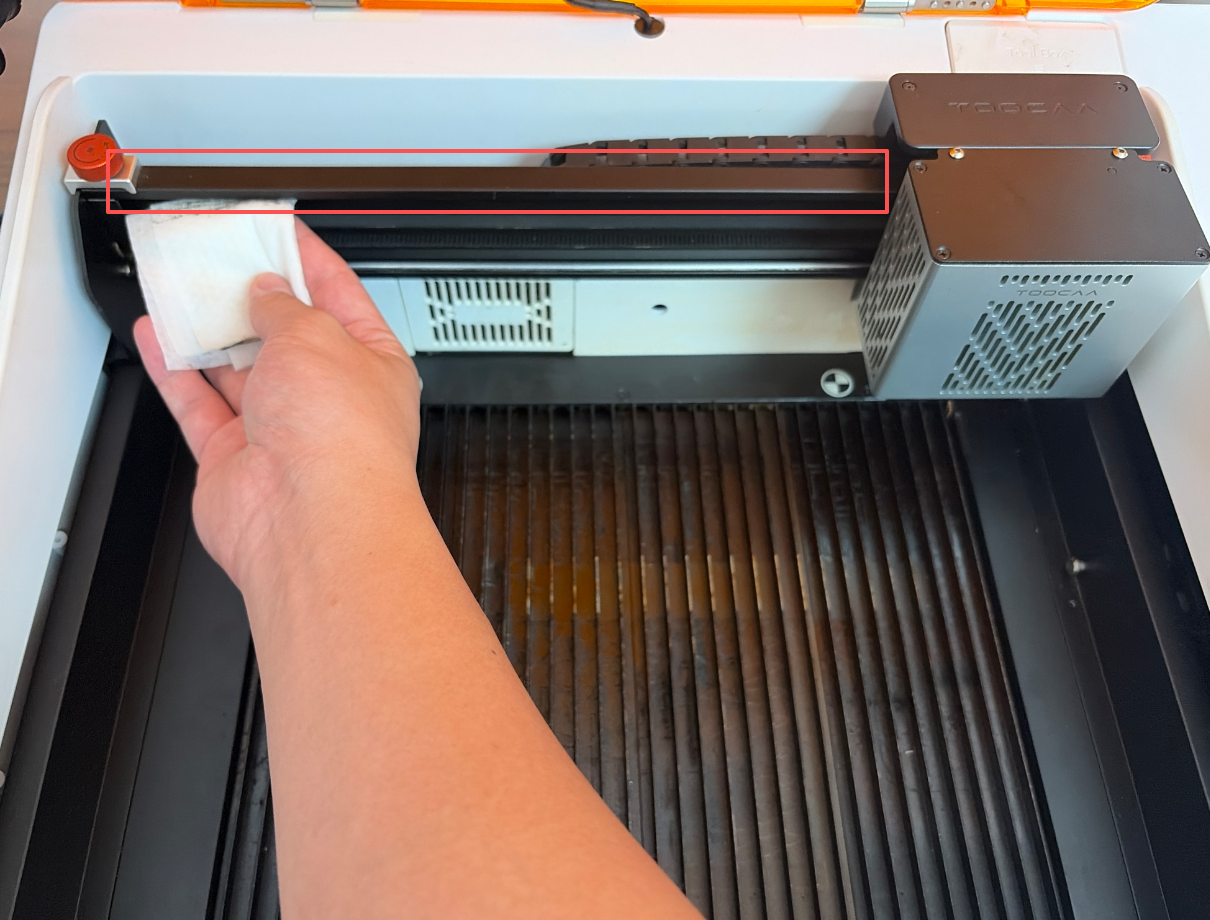
- Hold the laser module body and slowly slide it to the right to expose the upper and lower slide rods on the left.
- Wipe the lower and upper slide rods on the left with an alcohol-dampened lint-free cloth, as shown in Figures 3 and 4. Let the alcohol evaporate completely and the surfaces dry before continuing.
¶ 4. Apply a Thin Layer of Grease to Both Slide Rods
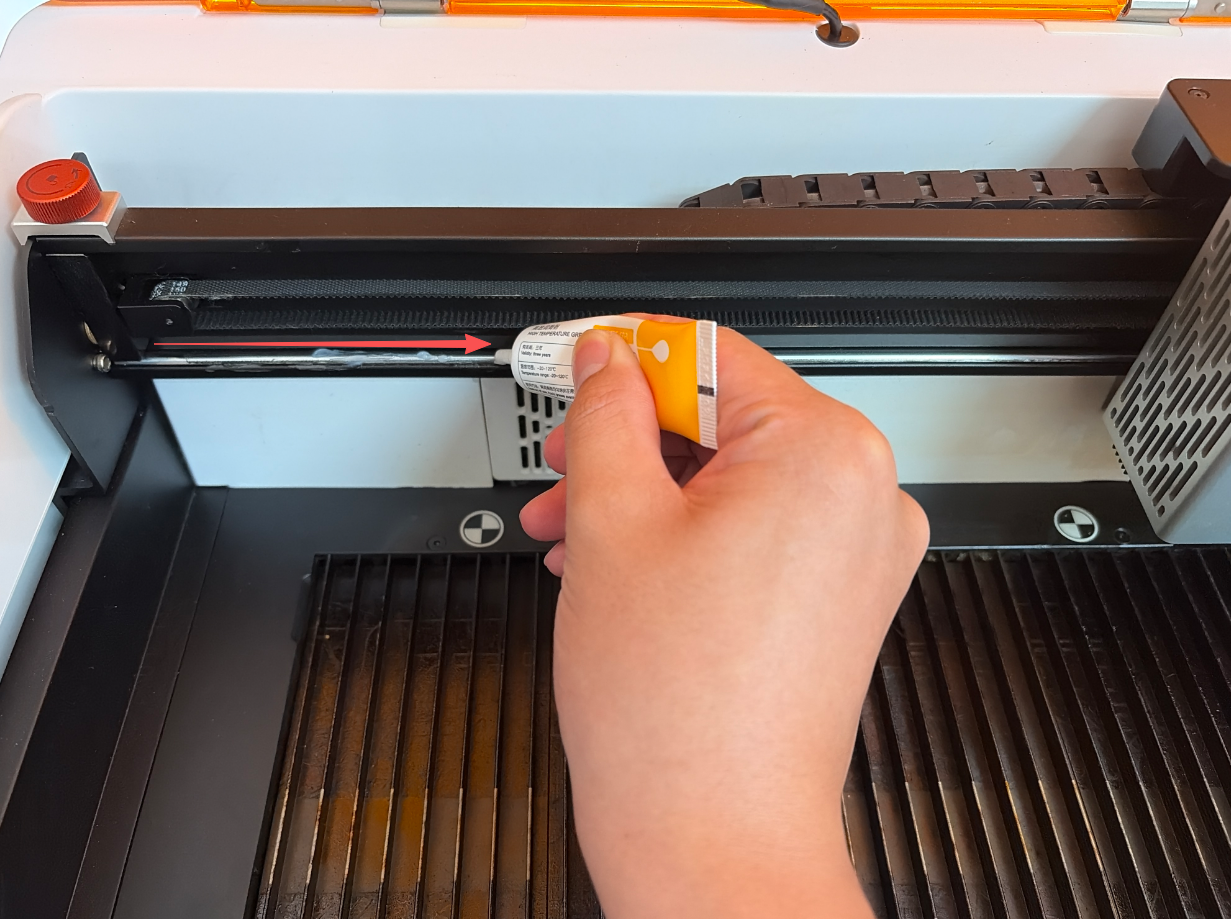
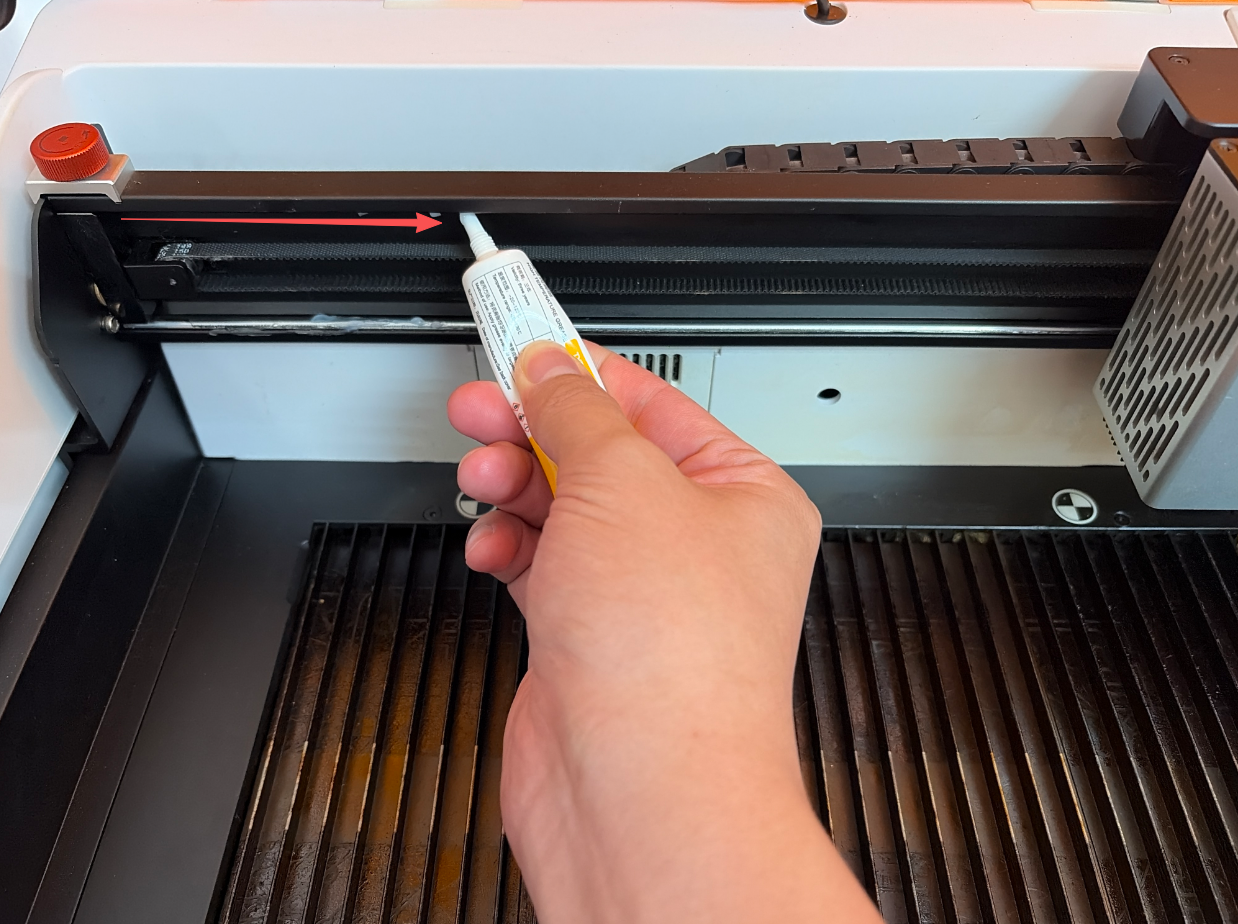
- Following Figures 5 and 6, apply a small amount of grease in a thin, even layer to the upper and lower slide rods.
- Slowly reposition the laser module to expose any covered sections, lubricating the full working length of both rods on the left and right. Avoid thick coatings or grease buildup, which can collect dust.
¶ 5. Make About 5 Complete Left-Right Round Trips
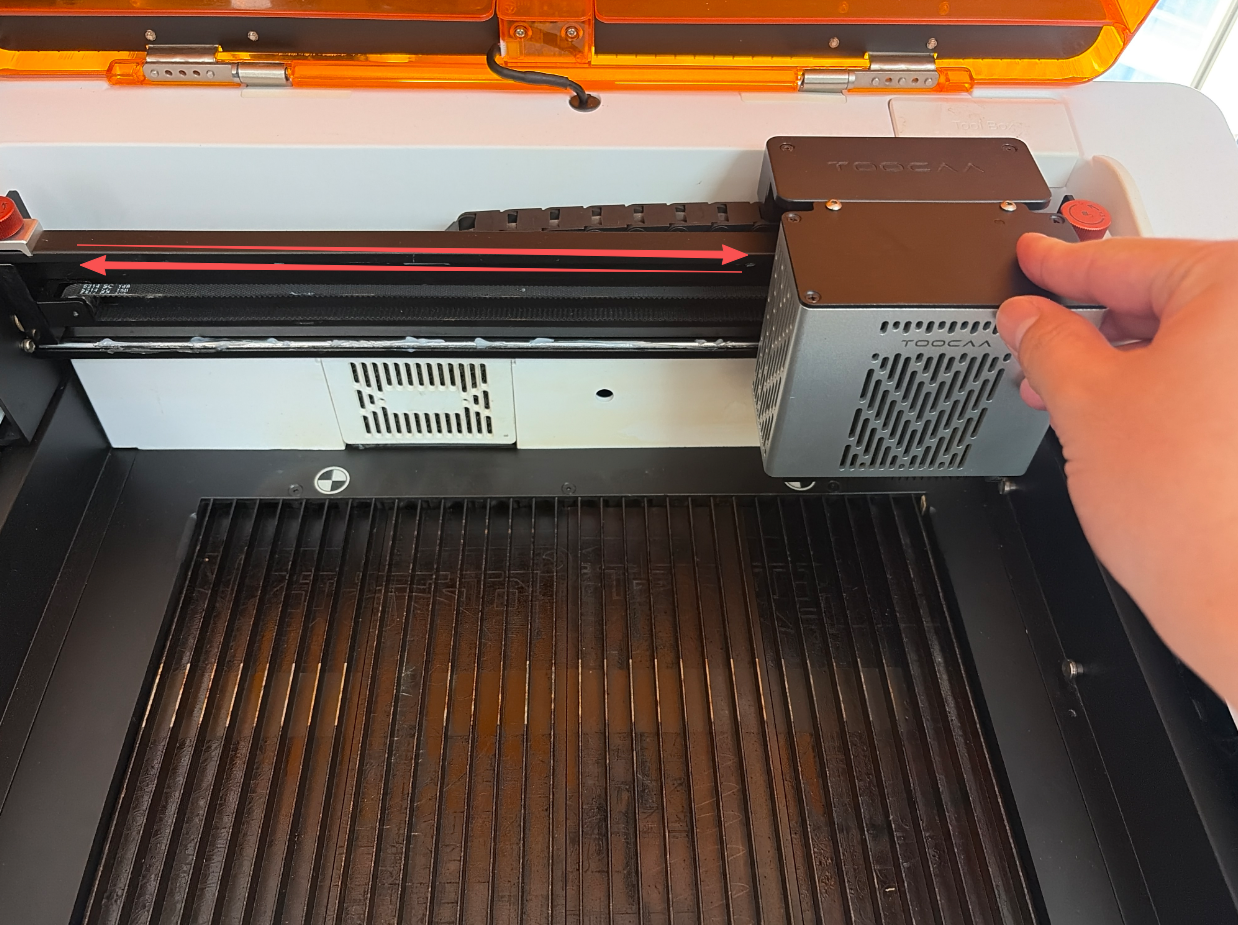
- Hold the laser module body and slowly slide it left and right along the rods to distribute the grease. Moving from the left to the right and back to the left counts as one round trip. Repeat about 5 times. Do not hit the ends of travel.
- Wipe away any excess grease pushed out or left in clumps with a clean, soft cloth. Leave a thin, even layer on the rods.
¶ Inspection and Troubleshooting
If you find rust or scoring on the rods, or if sticking or unusual noise remains after cleaning and lubrication, stop and contact TOOCAA support. Do not force the laser module or try to mask the problem by adding more grease.
¶ After Maintenance
- Check that both slide rods are clean, with a thin, even layer of grease and no buildup, and that the laser module moves smoothly from side to side.
- Check that all alcohol has evaporated and no grease has reached the belt, Laser Lens or electrical components.
- Remove cloths, tools and cleaning debris. Close the top cover, restore power and confirm normal homing before using the machine.
After completing the maintenance, you may reset the “Slide Rod Maintenance” timer on the maintenance page.
Back to TOOCAA NOVA Maintenance Guide · Back to TOOCAA NOVA User Guide