¶ Top Cover Camera Cleaning Guide
This guide applies to the Top Cover Camera on TOOCAA NOVA. It explains how to clean the camera lens and the inside of the machine's top cover, then calibrate the camera after cleaning.
When a maintenance reminder appears, or the camera preview looks blurry or shows spots, check the Top Cover Camera lens and the inside of the top cover for smoke residue, fingerprints or other contamination. Follow the steps below to clean and calibrate the camera.
¶ Before Maintenance
- Prepare clean alcohol wipes for the Top Cover Camera lens and the inside of the top cover. Use cleaning products compatible with the relevant lens and cover materials, and follow the product instructions.
- Wipes should be lightly moistened, with no dripping liquid. Use separate, fresh wipes for the lens and the cover interior to avoid transferring contamination.
- Keep the work area ventilated and away from open flames.
Safety: Stop processing, switch off the machine and disconnect the power supply. Allow the laser module to cool completely before cleaning. Keep the power disconnected throughout Steps 1–3. Do not spray or drip alcohol directly onto the lens, camera assembly or electrical connectors. After cleaning, wait until all alcohol has evaporated and the cleaned areas are completely dry before reconnecting power and carrying out camera calibration in Step 4.
¶ Maintenance Procedure
¶ 1. Open the Machine's Top Cover
- Make sure processing has stopped, the machine is switched off and disconnected from power, and the laser module has cooled completely.
- Open the top cover and make sure it remains stable so you can reach the camera lens and the areas to be cleaned on the inside of the cover.
- You do not need to remove the Top Cover Camera or loosen its mounting screws for this cleaning procedure.
¶ 2. Clean the Top Cover Camera Lens with an Alcohol Wipe
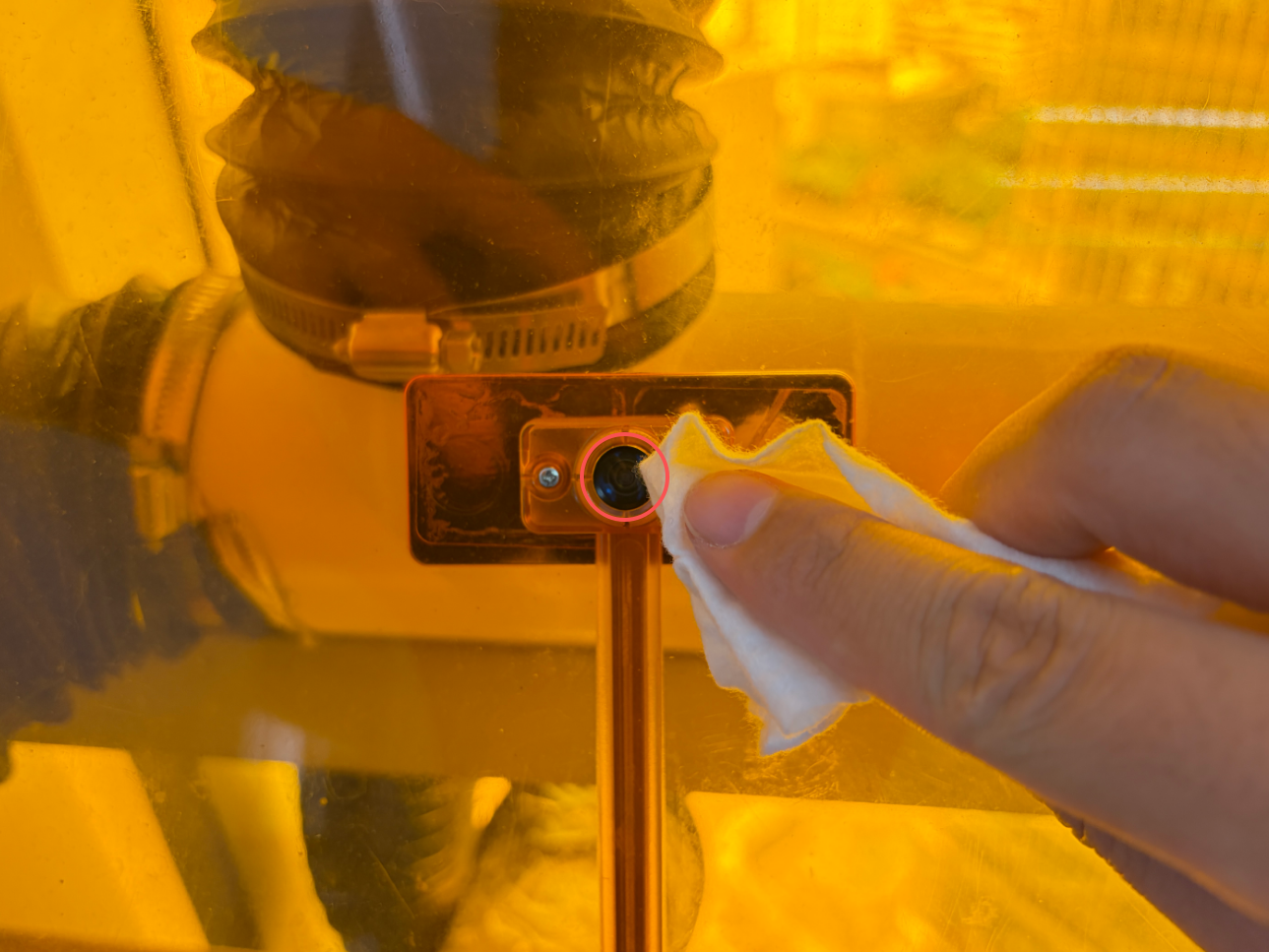
- Locate the Top Cover Camera lens marked by the red circle in the image below. Check for smoke residue, fingerprints or stains.
- Gently wipe the lens surface with a clean alcohol wipe that is lightly moistened and not dripping. Move to a clean part of the wipe as needed to avoid repeatedly rubbing dirt across the lens.
- Do not press hard on the lens, scrape it with sharp objects or pull the camera cable. Check for remaining contamination and allow the lens surface to dry.
¶ 3. Clean the Inside of the Top Cover with an Alcohol Wipe
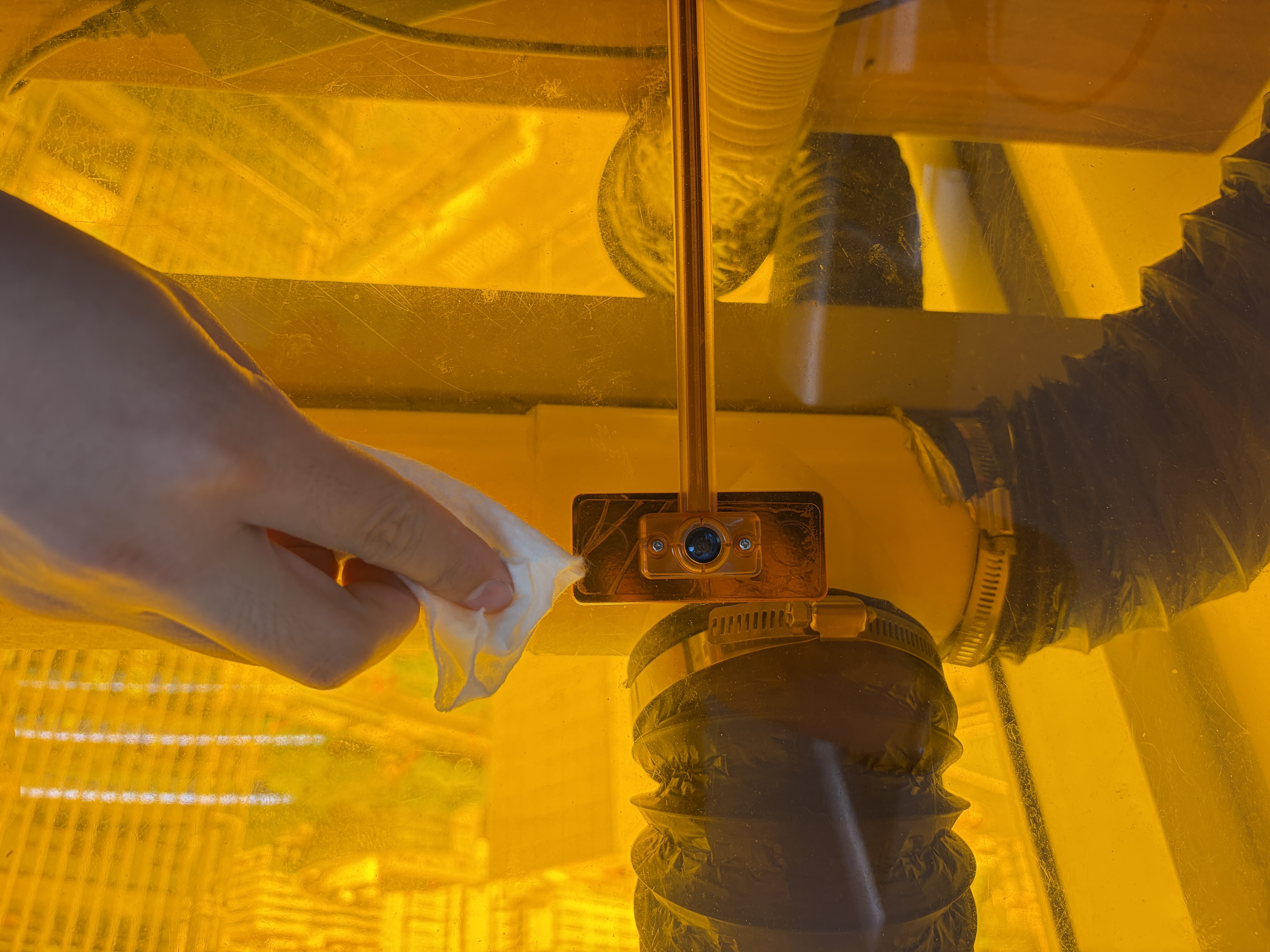
- Use a fresh alcohol wipe to gently clean the inside of the machine's top cover, removing smoke residue, fingerprints and stains.
- Check the area around the camera and any visibly contaminated areas on the inside of the cover. Replace dirty wipes promptly. Do not reuse a wipe from the cover interior on the camera lens.
- Keep liquid away from the camera assembly, cable connectors and other electrical parts. Leave the machine disconnected from power until all alcohol has evaporated and both the lens and the cover interior are completely dry.
¶ 4. Calibrate the Top Cover Camera
- Make sure the lens and the inside of the top cover are completely dry. Remove all used wipes, cleaning supplies and other items left inside the machine.
- Follow the camera calibration guide linked below. With the machine powered off, first place the kraft paper flat in the working area. Then reconnect power and connect TOOCAA NOVA to TOOCAA Studio.
- In the upper-left corner of TOOCAA Studio, click the TOOCAA logo and select Laser Tools > Camera Calibration. Complete the process by following the calibration guide and the on-screen instructions.
- Keep the top cover closed during framing, auto focus and engraving of the calibration pattern. Do not move the kraft paper. After calibration, check that the camera preview aligns with the actual working area.
View the TOOCAA NOVA & TOOCAA Studio Camera Calibration Guide
¶ Inspection and Troubleshooting
If the preview is still blurry or shows spots after cleaning, stop processing, switch off the machine and disconnect power before checking for remaining contamination on the lens. If a noticeable positioning offset remains after calibration, follow the troubleshooting guidance in the calibration guide. Contact TOOCAA Support if the issue cannot be resolved. Do not try to resolve the issue by repeatedly rubbing the lens with force or arbitrarily changing the camera's mounting position.
¶ After Maintenance
- The Top Cover Camera lens and the inside of the top cover are clean and dry, with no cleaning supplies left inside.
- The camera preview is clear, with no obvious spots or blur.
- Camera calibration is complete and preview positioning has been checked before processing resumes.
Once cleaning and calibration are complete, you may reset the Top Cover Camera maintenance timer on the maintenance page. Do not reset it before maintenance has been completed.